Pixnub Home › Forums › Sports Photo Automation › Color action shot up front, ghosted monochrome version of the player behind them › Reply To: Color action shot up front, ghosted monochrome version of the player behind them
 Alyssa Bell
Damon responded to you in the email as well but it didn’t deliver to your email for some reason. However, I will copy and paste his response here:
“Sure, you can post an example image of what you are trying to do, but there’s no need to post a link to the products on the website. We can answer general questions about the setup. With the effects on the players, they can usually be done in the template itself, but the layer structures may need to be modified.
As a general rule, you can’t clip adjustment layers directly to the player layers because the clipping will be lost when it deletes the placeholder layer and adds the new layer. That is why Alyssa mentioned converting to B&W first…. which will work.
However, there are some tricks for this to embed the effects in the templates to auto apply… you can add the adjustment layers clipped to the player layer group and those stay clipped. You can also put adjustment layers directly inside the group unclipped and change the group blend mode to Normal, which will not pass through the adjustments—same as if they were clipped.
So go ahead and post. However, we can’t redesign the template layers for you, other than giving general advice. We don’t have all of the third-party templates to even work with on our end, so that would be impossible.”
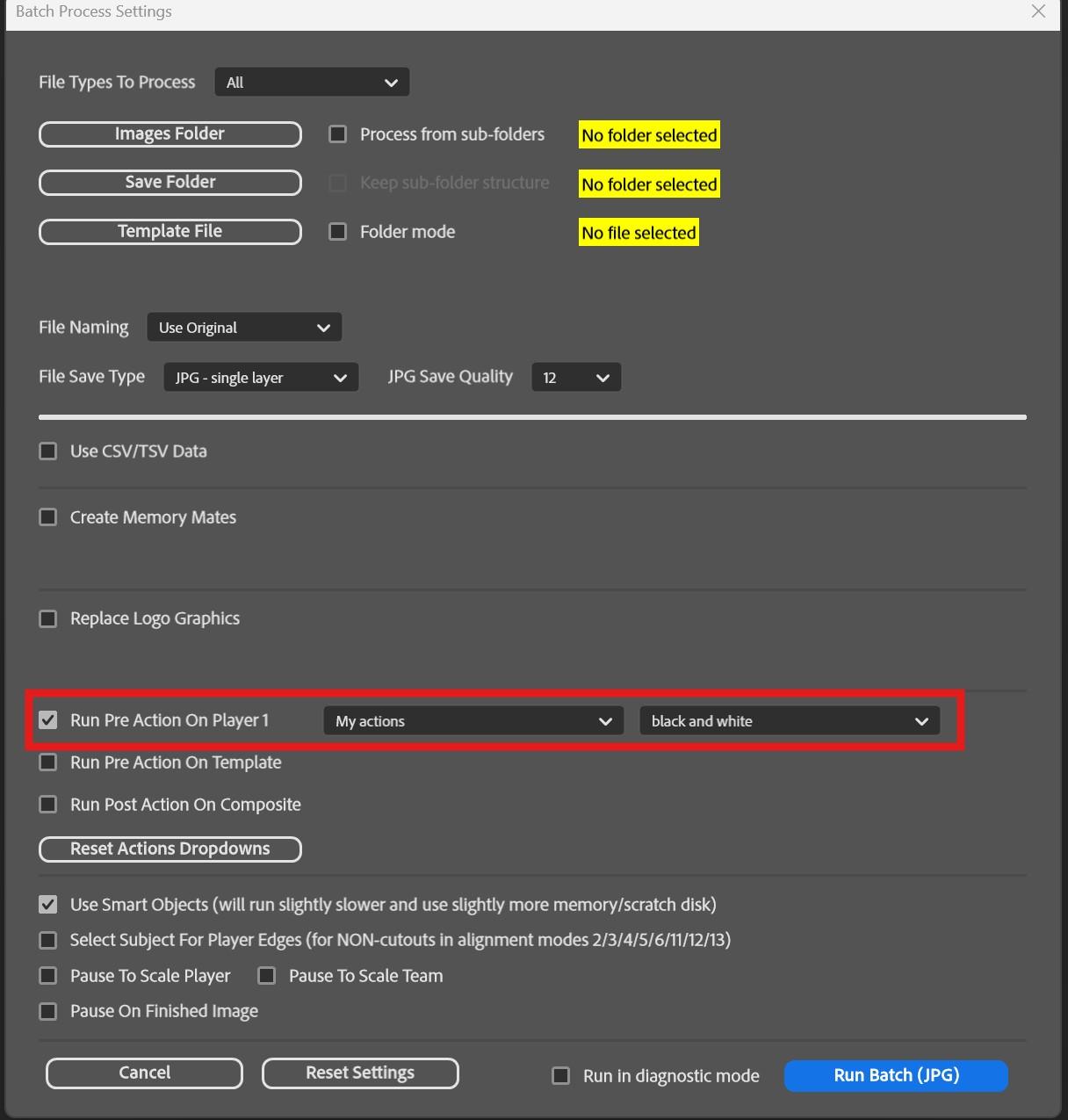
As for the action, you would have to create your own action and then select it in the drop down. Also, when recording the action, be sure to select a different layer, then when you hit record, select the player layer, and then add the effects and/or adjustments you want.
This is where to find the pre action button